StarViewer
Overview
StarViewer Feature Highlights
- Turn your smartphone or tablet into a laser power / energy meter
- Works a selection of Ophir devices
- Display measurements as line graph, simulated analog needle, or full screen numeric display with statistics
- Screen Capture and Share built into the application
- Measurement settings fully configurable to match your laser measurement needs
- Great for field technicians that make service calls
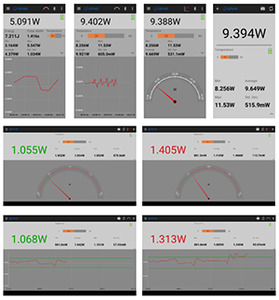
StarViewer brings laser power and energy measurement to your smartphone / tablet from our selected devices. It is an intuitive easy-to-learn application. Just install it, connect to your device, and get started immediately.
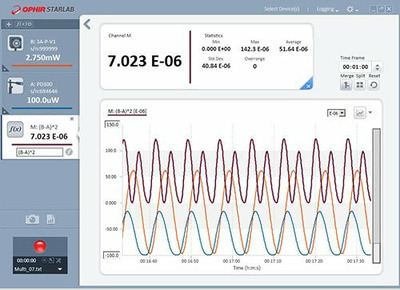
StarViewer allows you to display the measurement in a time-based line graph, as a needle display, or large numeric display with statistics.
You can also perform a screen capture and share it. Great for field technician's reporting results back to the lab.
StarViewer (Android app) v3.08.3
Overview:
Connectivity:
StarViewer can be used with any standard Ophir Thermopile, Photodiode, or Pyroelectric PE-C sensor
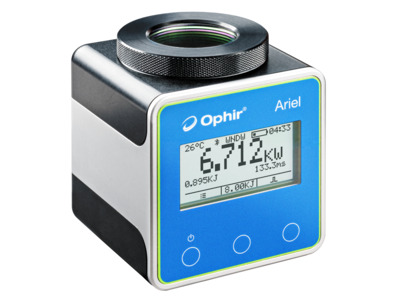
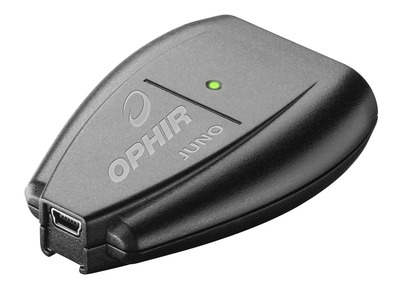
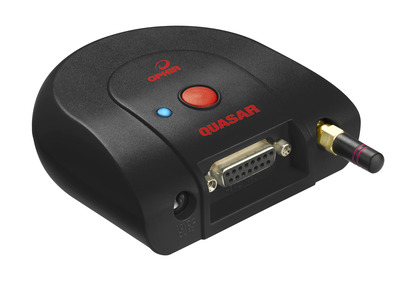
StarViewer can be used with the Juno via your device's USB on-the-go (OTG) port, or with the Quasar and Ariel via Bluetooth.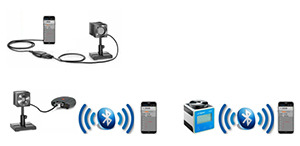
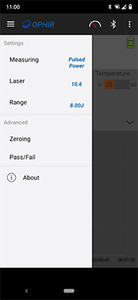
The measurement settings are fully configurable by opening the settings panel at the left of the screen:
For use with the Ariel:
Requirements:
Ophir StarViewer Android App
Overview:
- Available on Google Play (Android version 7 or higher)
- Works with Ariel/Juno/Quasar devices
- StarViewer brings laser power and energy measurement to your Smartphone / Tablet from our Ariel, Juno & Quasar devices
Connectivity:
StarViewer can be used with any standard Ophir Thermopile, Photodiode, or Pyroelectric PE-C sensor
StarViewer can be used with the Juno via your device's USB on-the-go (OTG) port, or with the Quasar and Ariel via Bluetooth.
The measurement settings are fully configurable by opening the settings panel at the left of the screen:
For use with the Ariel:
- Bluetooth: Minimum version 4.0 required, 5.1 recommended
- Ariel firmware version 1.33 or higher
- StarViewer supports and leverages Ariel's measurement capabilities to display Continuous Power, Single Pulse Energy, and Pulsed power together with Pulse width, Battery level and temperature
- Note: The Ariel you are using might have a lower F/W version, please update it to v1.33
- Smartphone / tablet with an OTG port, capable of providing 100mA or more downstream current
- Optional - OTG adapter - from USB connector on your device to USB Type A Female Adapter (for Juno cable)
- Juno firmware version 1.39 or higher
- Bluetooth capability
- Quasar version 1.25 or higher
- PIN code for Bluetooth pairing is 1234
Requirements:
- Android version 7 or higher
Ophir StarViewer Android App
StarViewer (iOS app) v1.1.4
Overview: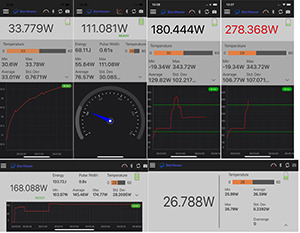
Connectivity:
StarViewer can be used with Ariel via Bluetooth
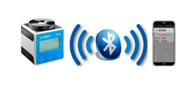
The measurement settings are fully configurable by opening the settings panel at the left of the screen:
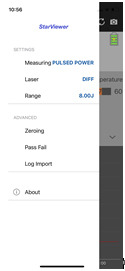
For use with the Ariel:
Ophir StarViewer iOS App
Overview:
- Available on Apple's App Store (iOS version 8 or higher)
- Works with Ariel
- StarViewer brings laser power and energy measurement to your Smartphone / Tablet from our Ariel device
Connectivity:
StarViewer can be used with Ariel via Bluetooth
The measurement settings are fully configurable by opening the settings panel at the left of the screen:
For use with the Ariel:
- Bluetooth: Minimum version 4.0 required, 5.1 recommended
- Ariel firmware version 1.33 or higher
- StarViewer supports and leverages Ariel's measurement capabilities to display Continuous Power, Single Pulse Energy, and Pulsed power together with Pulse width, Battery level and temperature
- Note: The Ariel you are using might have a lower F/W version, please update it to v1.33
- iOS version 8 or higher
Ophir StarViewer iOS App